UX Optimization
Onboarding
EdTech


01
The Problem
High Task Abandonment
High Cognitive Load
Low User Retention
Low WCAG Standards

02
Research & Insights
We needed to understand how educators approach onboarding, what causes drop-offs during registration, and what makes someone confident enough to commit to a new teaching tool. This wasn't just about forms and fields, it was about trust, motivation, accessibility, and first impressions.
Key findings
01
Educators want to understand value early
They evaluate a tool before they're willing to commit time to it.
02
Long or unclear flows increase abandonment
Each unexplained field becomes a reason to close the tab.
03
Lack of guidance during onboarding creates anxiety
Without a clear path, even motivated users hesitate.
04
Accessibility and language support are overlooked
Especially critical in the GCC, where English / Arabic both matter.
05
Validation errors shown too late cause frustration
Educators read the rules only after they've broken them.
Insight
There's a gap between interest and completion. Users are willing to sign up, but friction, uncertainty, and lack of reassurance often stop them.
"Onboarding should feel like guidance, not a test."
EDUCATORS INTERVIEWED
14
USABILITY SESSIONS
8
03
The Solution
Each block below pairs the problem we saw in research with the redesign decision and the screen that ships it.
A
Entry screen
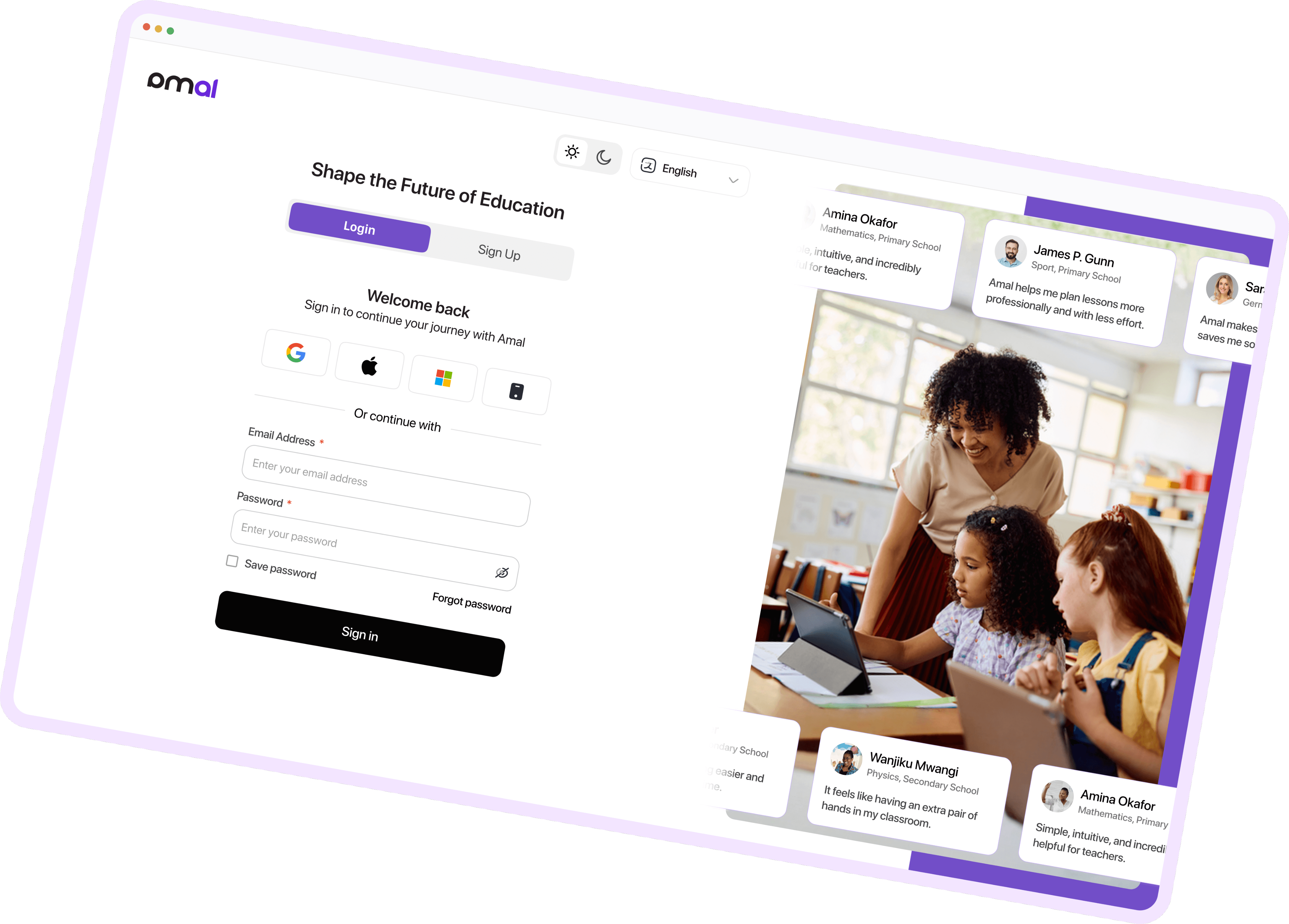
Previously, the entry screen offered little context beyond basic sign-in fields, leaving users unsure of Amal's value or why they should continue.
The redesigned screen pairs a clear Sign In / Sign Up split with social proof from real educators. Users instantly understand who Amal is for and can confidently pick their next step.
B
Error Handling & Validation
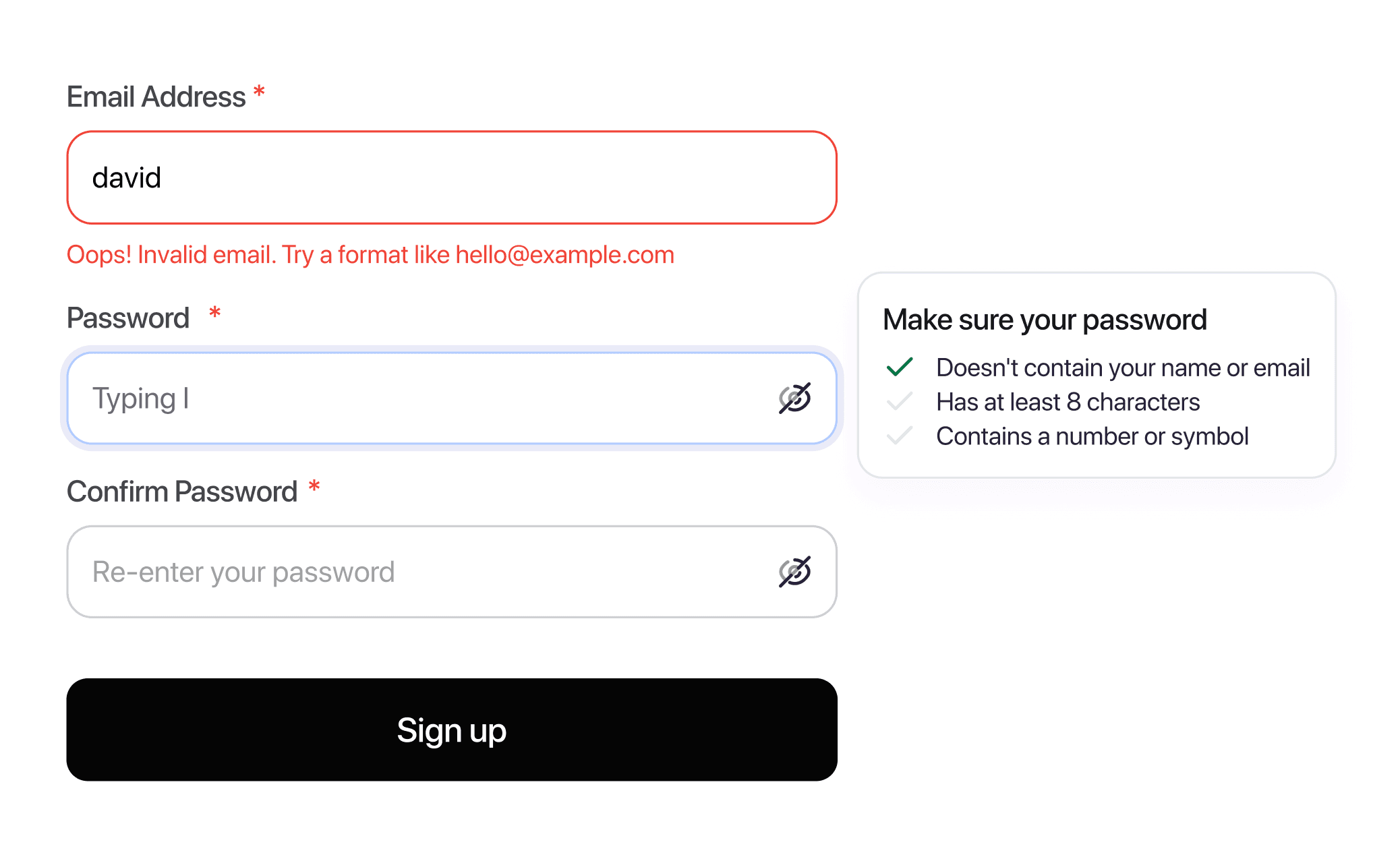
Live validation gives users immediate feedback as they type, especially for password creation. Errors are written in a supportive tone — guidance, not punishment.
Result: fewer frustrated retries and noticeably calmer first impressions in usability tests.
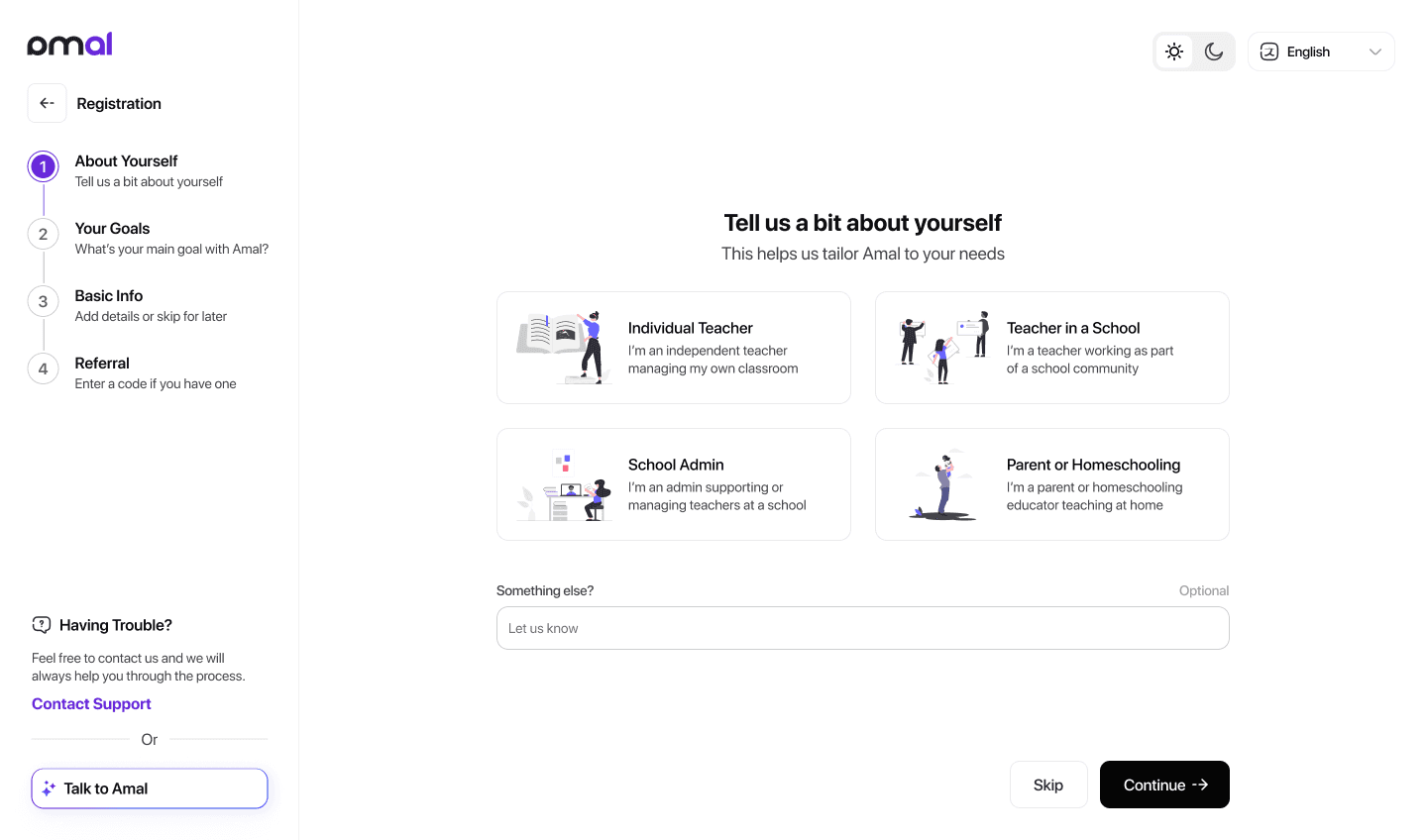
C
Earlier, users were hit with every requirement upfront — increasing perceived effort and drop-off risk.
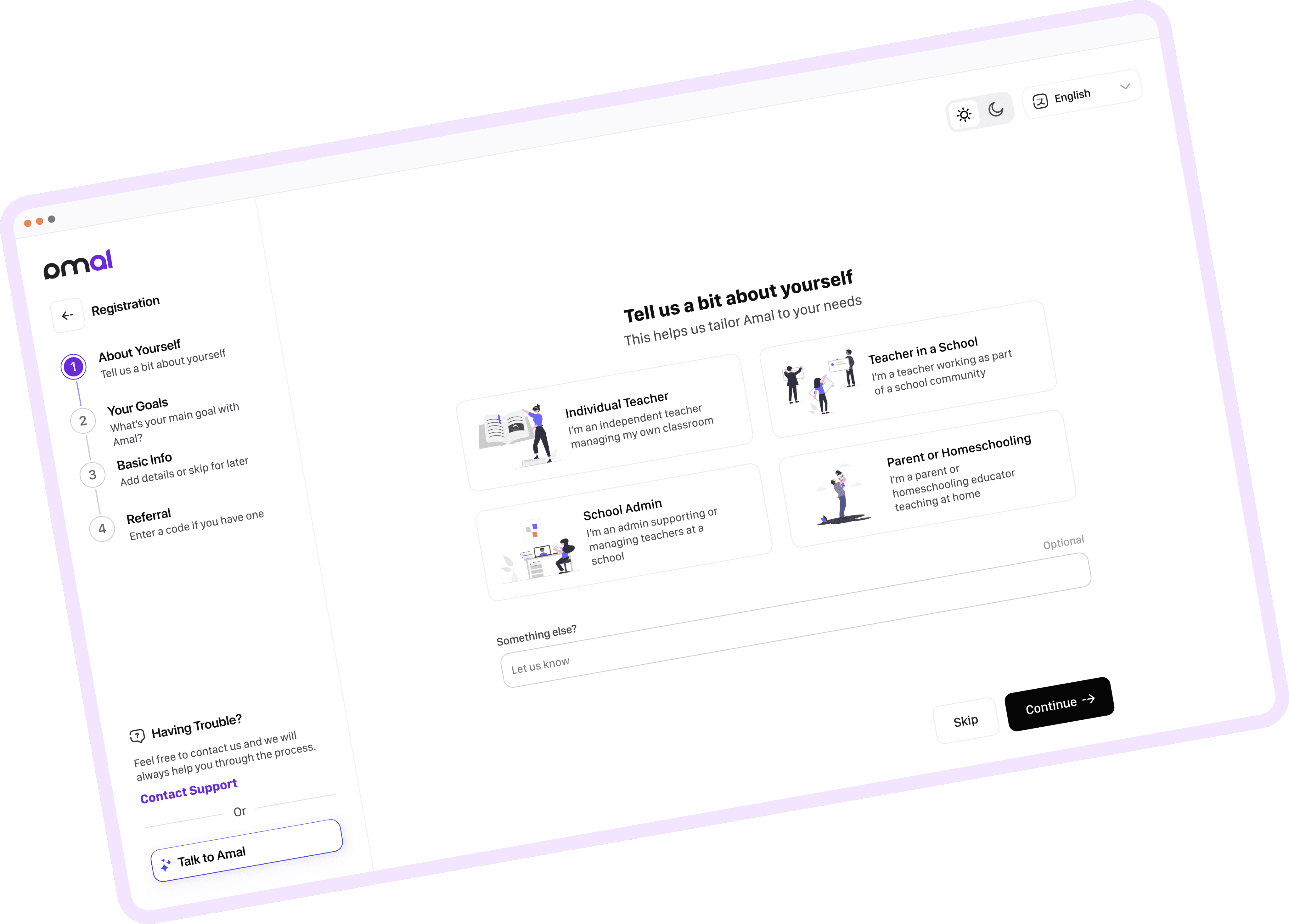
The new flow breaks registration into small, guided steps with a clear progress indicator. Role and motivation are picked first, so the platform adapts its content and tools from screen one — whether the user is a teacher, administrator, or parent.
D
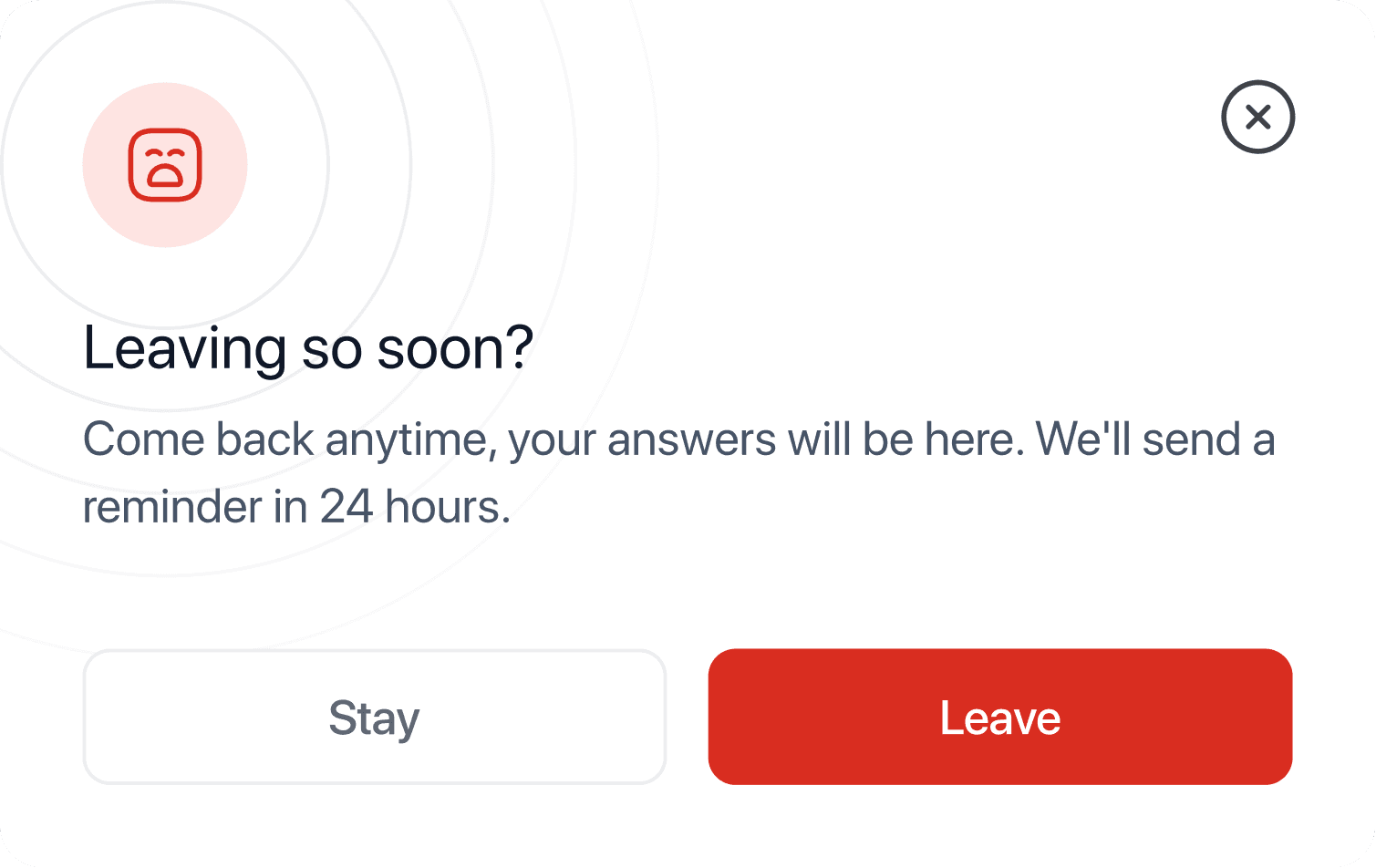
Auto-save Progress
The redesigned flow saves automatically and surfaces a clear reassurance when users try to leave mid-way. This removes the fear of losing work and reduces drop-offs from interruptions and time pressure.
Auto-save every step
Email reminder in 24h
Resume from any device
E
Accessibility & Inclusion
Accessibility shapes every screen, not just a checklist at the end: strong contrast, clear focus states, descriptive labels, and optional dark and light modes. For the GCC audience, English and Arabic are available with proper RTL handling.
Users can also share accessibility needs privately, reinforcing Amal's inclusive defaults.
F
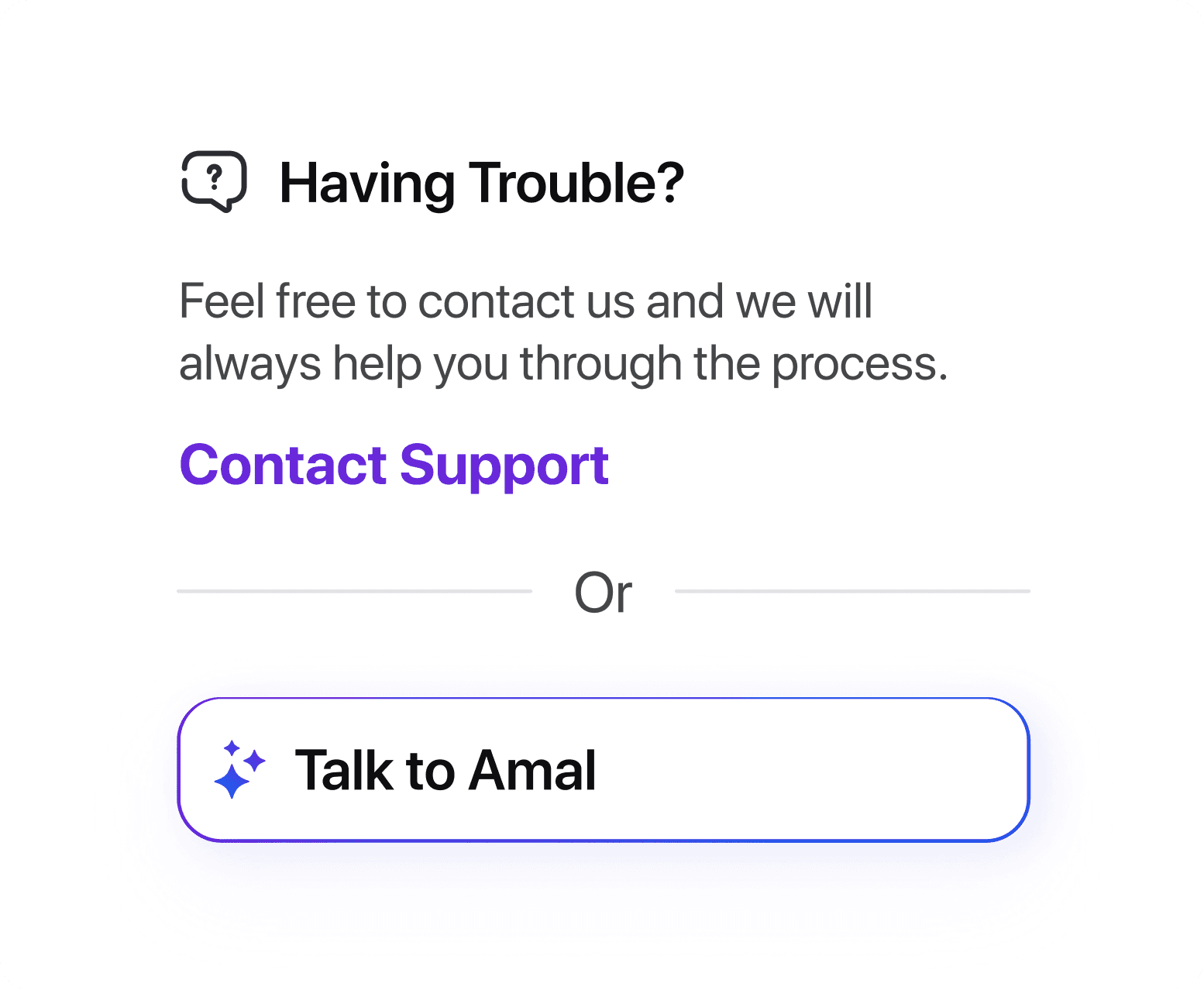
Support & Recovery
Previously, users who hit a snag had little guidance and no clear way to recover if they left mid-process.
Visible support and the Amal AI Assistant ride along the entire flow. Combined with auto-save, users know they can step away and return without starting over.
G
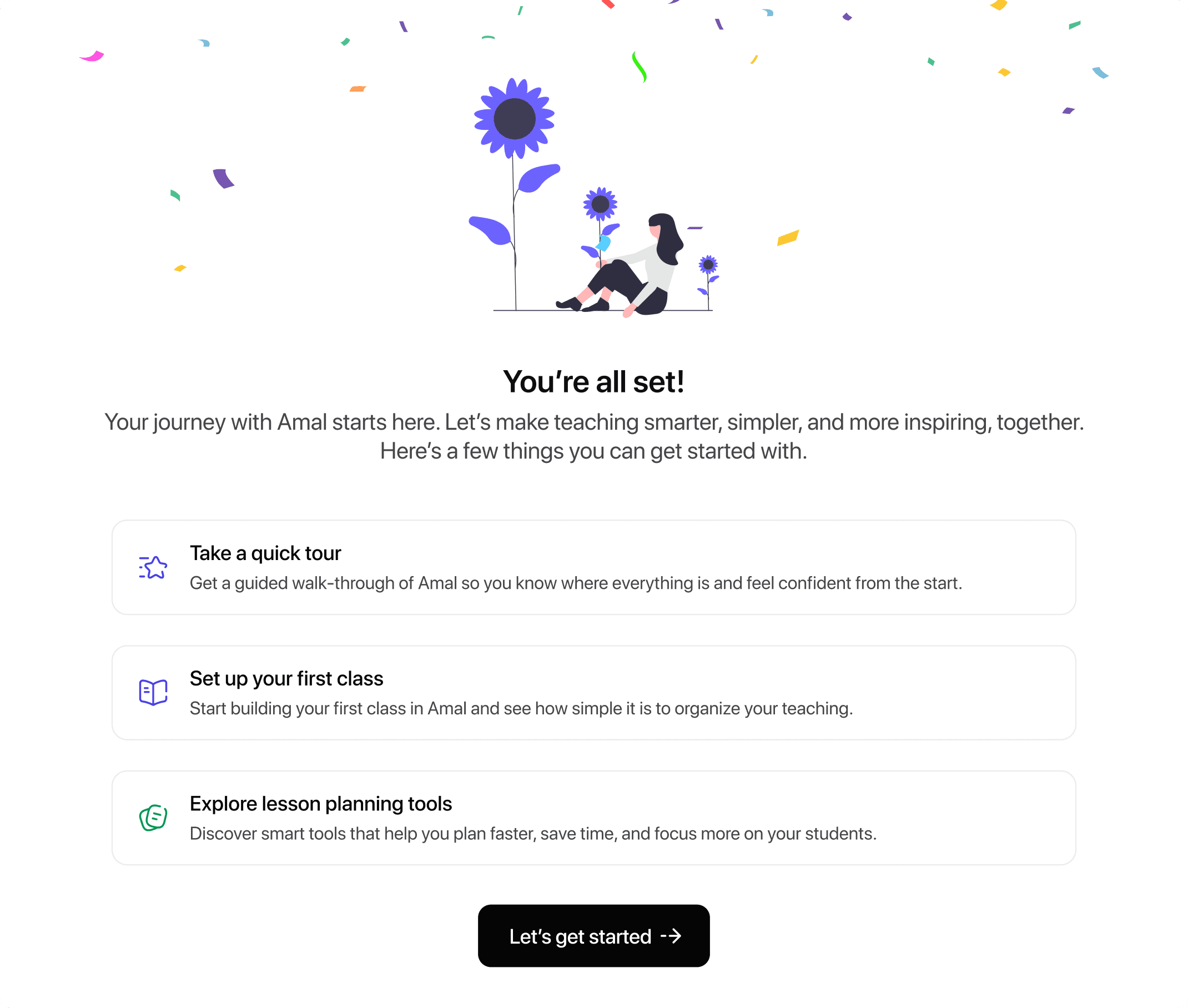
Confirmation & Next Steps
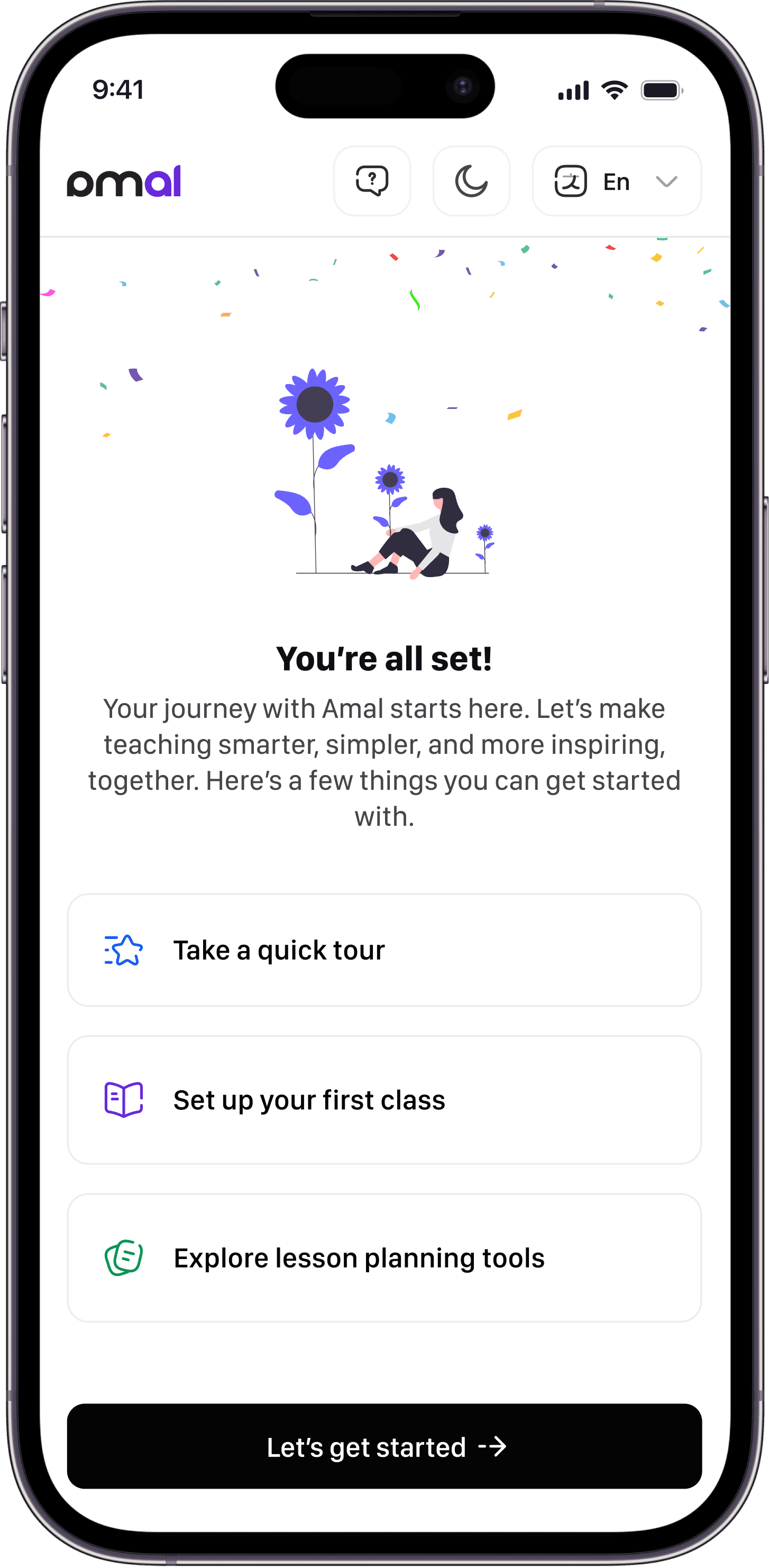
The redesigned confirmation screen guides educators into their first meaningful action: a 2-minute tour, setting up a first class, or generating an AI lesson plan. The friction-free first win, right when motivation is highest.
04
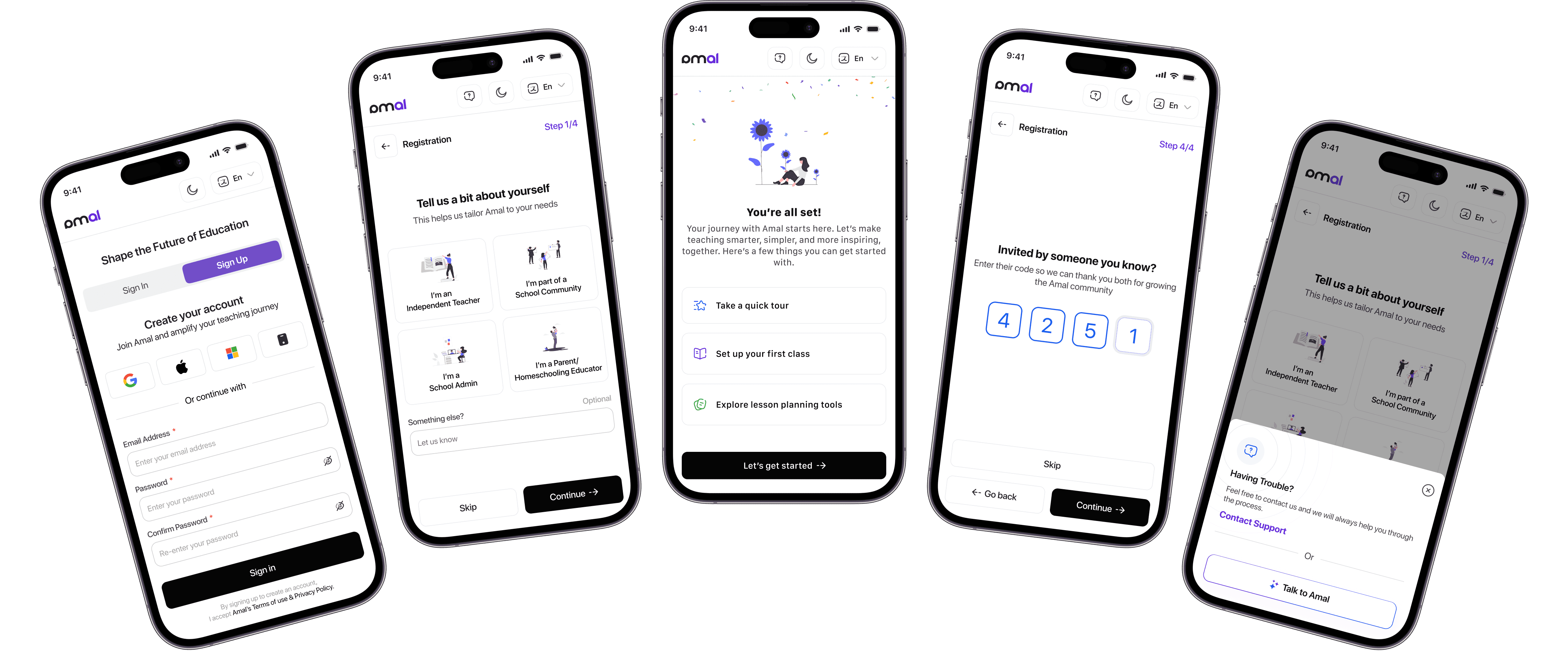
Mobile Responsive UIs
Most educators sign up between classes, on a phone. Every step adapts down without losing its impact.

05
Reflection & Impact
Completion rate vs. previous flow
WCAG 2.1 across English & Arabic